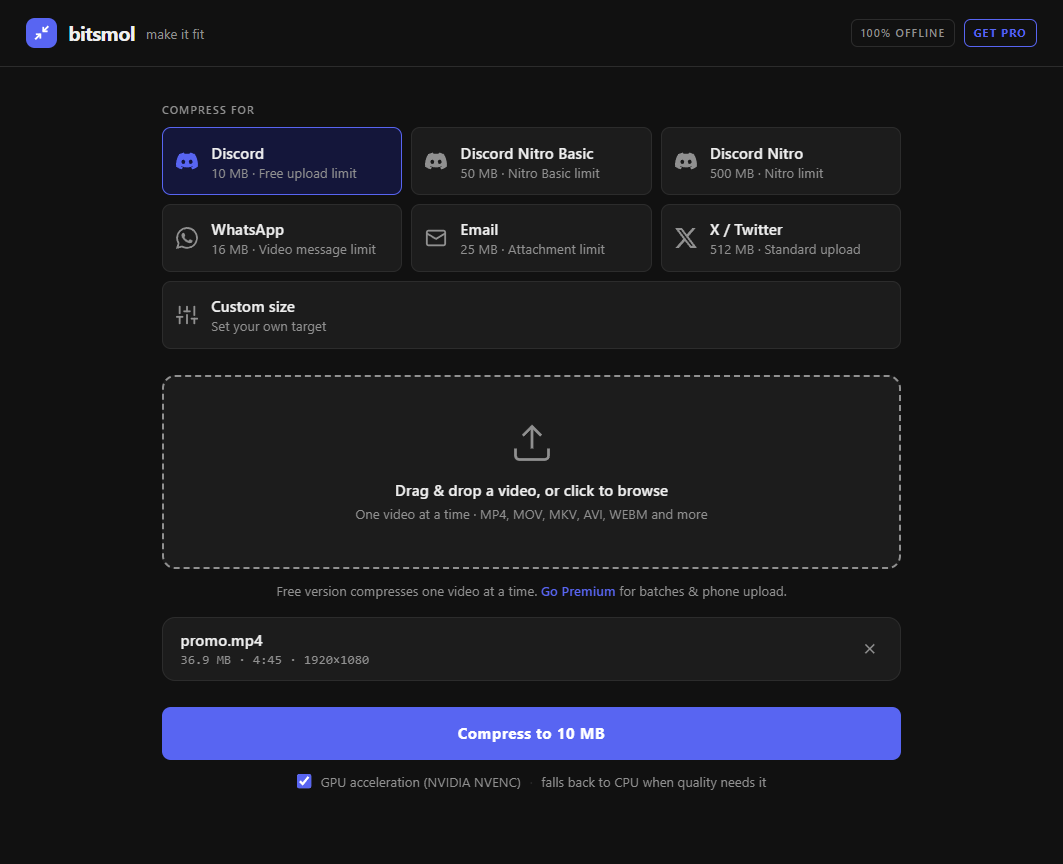
A free, completely offline video compressor for Windows. Pick where it's going, drop your clip, and it squeezes the file under the limit, right on your own computer.
Free: one video at a time, no sign-up. Pro: batches + send from your phone.
pick a size, drop a video — that's it ♥
why I made this
A small itch I had to scratch
Hi — I'm Aleks. 👋
I kept hitting the same wall: a clip would be a few megabytes too big for Discord, and I'd end up on some random online converter — slow, full of ads, capped, watermarked, and stuck in a queue. Worst of all, you have to upload your video to a stranger's server just to shrink it.
I didn't love that. So I built the little tool I actually wanted: tell it where the video's going, it does the squeezing on your own machine, done. No accounts, no uploads, no nonsense.
It's tiny, it's quiet, and it just makes things fit. 🤜
— Aleks
three clicks, honestly
How it works
1
Pick where it's going
Discord (10 MB), WhatsApp, email... or type your own size in MB.
2
Drop your video
Drag it in or click to browse. MP4, MOV, MKV, AVI, WEBM and more.
3
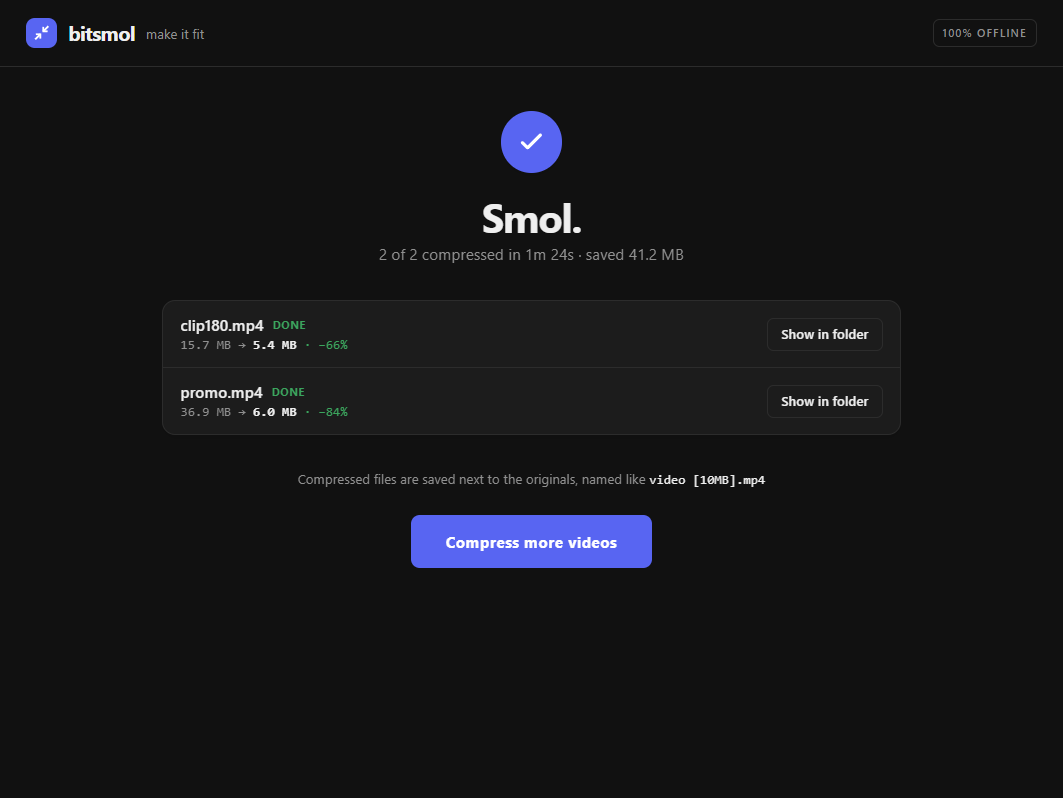
Get your smol file
It lands right next to the original, named so you can't mix them up.
36.9 MB → 6 MB. smol! 🎉
small app, no compromises
What's in the box
🔒
Truly offline & private
Your clips never leave your computer — no uploads, ever.
🎯
One-click size presets
Discord 10 MB, Discord Nitro, WhatsApp, email, X — or a custom size.
⚡
Fast, with your GPU
Uses your graphics card when it can, falls back to CPU when quality needs it.
🚫
No watermark, no cap
Never stamps your video and never limits how big it can be.
Pro
📚
Batches
Queue up as many videos as you like and let them run one after another.
Pro
📱
Send from your phone
Scan a QR code and beam clips from your phone to your PC — private tunnel, no cloud.
How do I compress a video to fit Discord's 10 MB limit?+
Open bitsmol, choose the Discord preset (10 MB), drag in your video, and it re-encodes the file to land just under 10 MB so you can upload it to Discord. Everything happens on your own computer — the video is never uploaded to a website. bitsmol is free for one video at a time.
How can I compress a video without uploading it to a website?+
bitsmol compresses videos completely offline on your Windows PC. Unlike online converters, your video never leaves your computer — there's no upload, no queue, and no server involved. That makes it ideal for private or sensitive clips.
What's the best free offline video compressor for Windows?+
bitsmol is a free, fully offline video compressor for Windows 10 and 11 with one-click size presets, custom target sizes in MB, GPU acceleration, no watermark, and no file-size cap. The free version compresses one video at a time; bitsmol Pro adds unlimited batches and phone uploads.
How do I make a video smaller for email or WhatsApp?+
Pick the Email (25 MB) or WhatsApp (16 MB) preset — or type any custom size in megabytes — then drop in your video. bitsmol shrinks it to fit that limit and saves the smaller file next to the original. It works with MP4, MOV, MKV, AVI, WEBM and more.
Does compressing a video reduce its quality?+
bitsmol aims for the exact file size you choose while keeping quality as high as that size allows. It uses bitrate-targeted H.264 encoding and only lowers resolution or frame rate when the target truly requires it, so most videos stay sharp and watchable.
Is bitsmol really free, and what does Pro add?+
Yes — the free version is free forever with no sign-up, and includes all presets, custom sizes, GPU acceleration and full offline privacy. It compresses one video at a time. bitsmol Pro is a one-time purchase that adds unlimited batch compression and sending videos from your phone to your PC over a private tunnel.
Can bitsmol compress many videos at once?+
bitsmol Pro lets you queue unlimited videos and compress them one after another. The free version compresses one video at a time.
Does bitsmol add a watermark or limit file size?+
No. bitsmol never adds a watermark and has no file-size cap on the videos you compress — unlike many free online video compressors.